
Our free Hundreds Chart Maker lets you make a printable hundreds chart in seconds. Choose a filled 1–100 chart, a blank hundreds chart, a missing-number chart, a 0–99 chart or a 120 chart, highlight skip counting patterns, color boxes by tapping them, and print or save your chart as a PDF. It works on phones, tablets and computers with no sign-up.
Tip: tap a box once to color it and tap again to clear it. Your colors print too.
What Is a Hundreds Chart?
A hundreds chart is a 10 × 10 grid that shows the numbers 1 to 100 in order, ten numbers in each row. It is one of the most useful math tools for kids from pre-K to grade 2. Moving one box to the right adds 1, and moving one box down adds 10, so kids can see counting, place value (tens and ones) and number patterns at a glance.
Our Hundreds Chart Maker lets you print the exact chart your child needs, whether that is a colorful filled chart for the wall or a blank chart for number-writing practice.
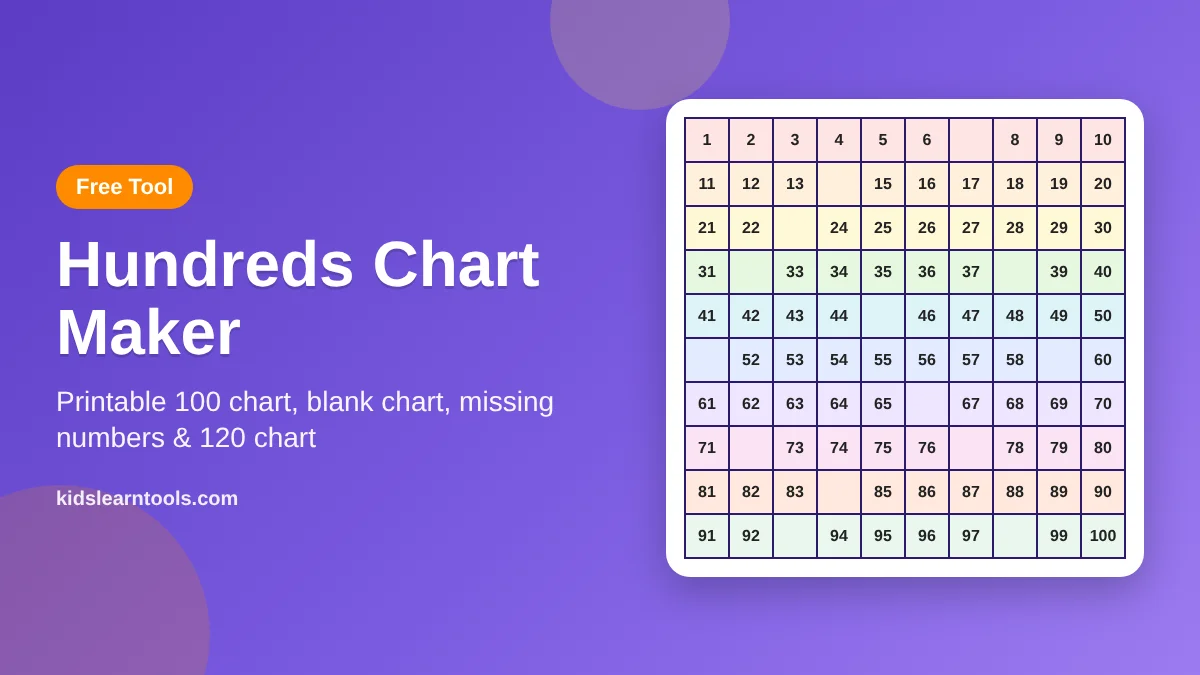
How to Use the Hundreds Chart Maker
- Choose a chart type. Pick the classic hundreds chart (1–100), a 0–99 chart, a 120 chart, or a short 1–50 starter chart.
- Choose which numbers to show. Show all numbers, hide 10%, 25% or 50% of them for a missing-number puzzle, show only the first column, show only the tens, or print a fully blank chart.
- Highlight a pattern (optional). Color every number when you skip count by 2s to 10s, or show odd or even numbers.
- Pick colors and text size. Rainbow rows, purple and orange, or black and white to save ink. Large print is great for younger kids and classroom walls.
- Tap boxes to color them. Choose a color and tap any box. Tap it again to clear it. Your colors print too.
- Print or save as PDF. Click “Print / Save PDF”. In the print window, choose your printer or “Save as PDF”. Each chart fits on one page (Letter or A4).
Click New Chart to get a fresh set of missing numbers, and Show Answers to fill in the hidden numbers in green so you can check the work.
Which Hundreds Chart Should I Print?
| Child’s age / grade | Chart type | Numbers shown | Good for |
|---|---|---|---|
| 4–5 years (Pre-K) | Starter chart (1–50) | All numbers, large print | Number recognition, counting to 50 |
| 5–6 years (Kindergarten) | Hundreds chart (1–100) | All numbers, or missing – easy | Counting to 100 by ones and tens |
| 6–7 years (Grade 1) | Hundreds chart or 120 chart | Missing – medium, or first column only | Counting to 120, 10 more and 10 less |
| 7–8 years (Grade 2) | 0–99 chart or 120 chart | Missing – hard, or blank | Place value, skip counting by 5s and 10s |
| 8–9 years (Grade 3) | Hundreds chart | All numbers + skip count by 3s to 9s | Times tables and multiples |
Types of Hundreds Charts You Can Make
Filled Hundreds Chart
A complete 1–100 chart is the best place to start. Hang it near your child’s desk or use it as a reference while doing addition and subtraction.
Blank Hundreds Chart
A blank chart is a 10 × 10 grid with no numbers. Kids write 1 to 100 themselves, which builds number order and handwriting at the same time. Younger kids can fill one or two rows a day.
Missing Number Hundreds Chart
Some numbers are hidden, and kids work out what goes in each empty box by looking at the numbers around it. Start with the easy level and move up as your child gets faster.
0–99 Chart
This version starts at 0, so every number in a row has the same tens digit (20 to 29, 30 to 39). Many teachers prefer it for teaching place value.
120 Chart
The 120 chart continues past 100 to 120. It shows kids that counting does not stop at 100 and matches the grade 1 goal of counting to 120.
Skip Counting Chart
Use the highlight menu to color multiples. Counting by 10s makes one column, counting by 5s makes two columns, and counting by 2s makes stripes. Counting by 3s makes diagonal lines, which is a fun pattern to discover.
Easy Ways to Use Your Printable Hundreds Chart
- Missing number hunt: Print a missing-number chart and let kids fill in the blanks.
- 10 more, 10 less: Put a counter on any number and move down for 10 more or up for 10 less.
- Race to 100: Two players roll a dice and move their counters. The first to reach 100 wins.
- Mystery picture: Read out numbers for kids to color and reveal a hidden picture.
- Odd and even stripes: Color odd numbers in one color and even numbers in another.
For 15 more ideas with examples, read our guide to hundreds chart activities for kids. To learn the step-by-step way to teach skip counting, see skip counting for kids.
From My Classroom
In my eight years of teaching, a hundreds chart was on the wall of every classroom I taught in, and the children who struggled with math used it the most. I noticed that many of them could chant numbers to 100 but lost their place as soon as they had to start from a number like 47. Giving them a chart with only a few numbers missing, and letting them find the answers by looking at the row above and below, built their confidence quickly. I made this tool so parents and teachers can print that same kind of chart in seconds, at the right level for each child.
Tips for Parents and Teachers
- Laminate one chart or put it in a plastic sleeve so kids can write on it with a dry-erase marker again and again.
- Keep it visible. A chart on the wall or the fridge gets used every day.
- Go from filled to blank. Start with all numbers shown, then hide more as your child improves.
- Use the black and white option when printing many copies for a class.
- Talk about patterns. Ask “What do you notice?” before explaining anything.
Number Patterns Kids Can Discover With This Hundreds Chart Maker
The highlight menu turns the hundreds chart into a pattern-finding tool. Kids don’t just see the numbers; they see how numbers are built. Try each pattern below and ask your child what they notice before you explain it.
| Pattern | How to show it in the tool | What kids see | What it teaches |
|---|---|---|---|
| Counting by 10s | Highlight: Skip count by 10s | One straight column on the right | Tens and place value |
| Counting by 5s | Highlight: Skip count by 5s | Two straight columns | Numbers ending in 5 and 0, telling time |
| Counting by 2s | Highlight: Skip count by 2s | Five stripes | Even numbers, counting pairs |
| Counting by 3s | Highlight: Skip count by 3s | Diagonal lines going down to the left | Multiples of 3, early times tables |
| Counting by 9s | Highlight: Skip count by 9s | One diagonal from 9 down to 90 | Tens go up while ones go down |
| Odd and even | Highlight: Odd numbers or Even numbers | Alternating columns | Odd and even numbers take turns |
For a printable worksheet, choose a pattern, then pick “Missing numbers – medium”. Kids fill in the blanks and check whether the highlighted pattern still works.
How Teachers Use the Hundreds Chart Maker in Class
- Morning math warm-up: Project the chart on the board, pick a “number of the day” and ask for one more, one less, ten more and ten less.
- Math centers: Print missing-number charts at three levels so each group works at the right difficulty.
- Interactive whiteboard: Kids come up and tap boxes to color patterns live in front of the class.
- Exit tickets: Print the “first column only” chart and ask kids to finish one row before they leave.
- Take-home practice: Send home a blank chart in black and white to save ink.
How Parents Can Use It at Home
You don’t need to be a teacher to help with numbers. Print a colorful chart for the fridge and spend five minutes a day on it. Ask your child to find their age, the date or the number of stairs in your home. On the weekend, print a missing-number chart and turn it into a race: who can fill in the blanks first? Small, regular moments like these build confidence with numbers much faster than long homework sessions.
From Filled to Blank: A Simple Skill Progression
Use the “Numbers shown” menu to make the chart a little harder each week. This step-by-step order matches how most kids learn numbers to 100.
- All numbers (filled): Kids read and find numbers.
- Missing numbers – easy (10%): Kids use the numbers around a blank to fill it in.
- Tens only: Kids fill each row starting from the tens they can see.
- Missing numbers – medium (25%): Kids work across rows and down columns.
- First column only: Kids complete every row from its first number.
- Missing numbers – hard (50%): Kids rely on place value patterns.
- Blank chart: Kids write all numbers from 1 to 100 (or 120) on their own.
Hundreds Chart vs Number Line: Which Should Kids Use?
Both tools show numbers in order, but they help in different ways. A number line shows numbers in one straight row, which makes it great for showing jumps, adding small numbers and, later, fractions. A hundreds chart folds the same numbers into rows of ten, so kids can see tens and ones at a glance and jump by ten with a single move down.
Most teachers use both. Start with a short number line to 20 for counting on, then move to the hundreds chart when kids are ready for bigger numbers and place value. Our guide to skip counting for kids shows how to use both tools together.
Printing Tips for the Best Results
- Use “Fit to page”: Every chart is designed to fit on one Letter or A4 page in portrait.
- Turn on background graphics: In Chrome, tick “Background graphics” in the print settings so the rainbow colors print.
- Save ink: Choose “Black & white (ink saver)” when printing many copies.
- Make it last: Print on cardstock and laminate it, or slide it into a sheet protector for dry-erase practice.
- Large print: Choose large print for kids who are just starting, for a classroom wall, or for kids who need bigger numbers.
Why Use an Online Hundreds Chart Maker?
A ready-made printable gives you one chart. A hundreds chart maker gives you a new chart for every child, every day and every skill. Here is what makes this hundreds chart maker different from a single PDF download:
- Fresh practice every time: Click “New Chart” and the hundreds chart maker hides a different set of numbers, so kids can’t simply memorize the answers.
- One tool, many charts: Make a 1–100 chart, a 0–99 chart, a 120 chart or a short starter chart without searching for separate files.
- Built-in answer key: Show the hidden numbers in green with one click, which makes checking work quick for parents and teachers.
- Personal touch: Change the sheet title to your child’s name or a class name, such as “Ali’s Number Chart”.
- Works anywhere: The hundreds chart maker runs in your browser on a phone, tablet, laptop or classroom whiteboard, with nothing to install.
- Always free: There are no sign-ups, watermarks or limits on how many charts you print.
Because the hundreds chart maker lets you change difficulty in seconds, the same page can grow with your child from the first day of counting to the first times tables. Bookmark it and come back whenever you need a new printable hundreds chart.
Frequently Asked Questions
Is this hundreds chart maker free?
Yes. The Hundreds Chart Maker is completely free to use and print, with no sign-up or download.
How do I save the hundreds chart as a PDF?
Click “Print / Save PDF”, then choose “Save as PDF” as the printer in the print window. The chart is sized to fit on one page.
Can I print a blank hundreds chart?
Yes. Choose “Blank chart” in the “Numbers shown” menu to print an empty 10 × 10 grid for kids to fill in.
What is the difference between a hundreds chart and a 120 chart?
A hundreds chart shows 1 to 100 in 10 rows. A 120 chart adds two more rows (101 to 120) to help kids practice counting past 100.
Can I make a hundreds chart with missing numbers?
Yes. Choose easy, medium or hard in the “Numbers shown” menu. Click “New Chart” for different missing numbers and “Show Answers” to check.
Does the chart work on a phone or tablet?
Yes. The tool works in any modern browser on phones, tablets and computers, and you can tap boxes to color them on a touch screen.
More Free Math Tools
Want more practice? Make addition and subtraction sheets with our Math Worksheet Generator, practice numbers through art with the Color by Number Generator, or explore all our free learning tools for kids.